 English (United States)
 English (UK)
 German
 French (France)
 Spanish
 French (Canada)

What Is a Bi-Directional Scan Tool and Do You Need One
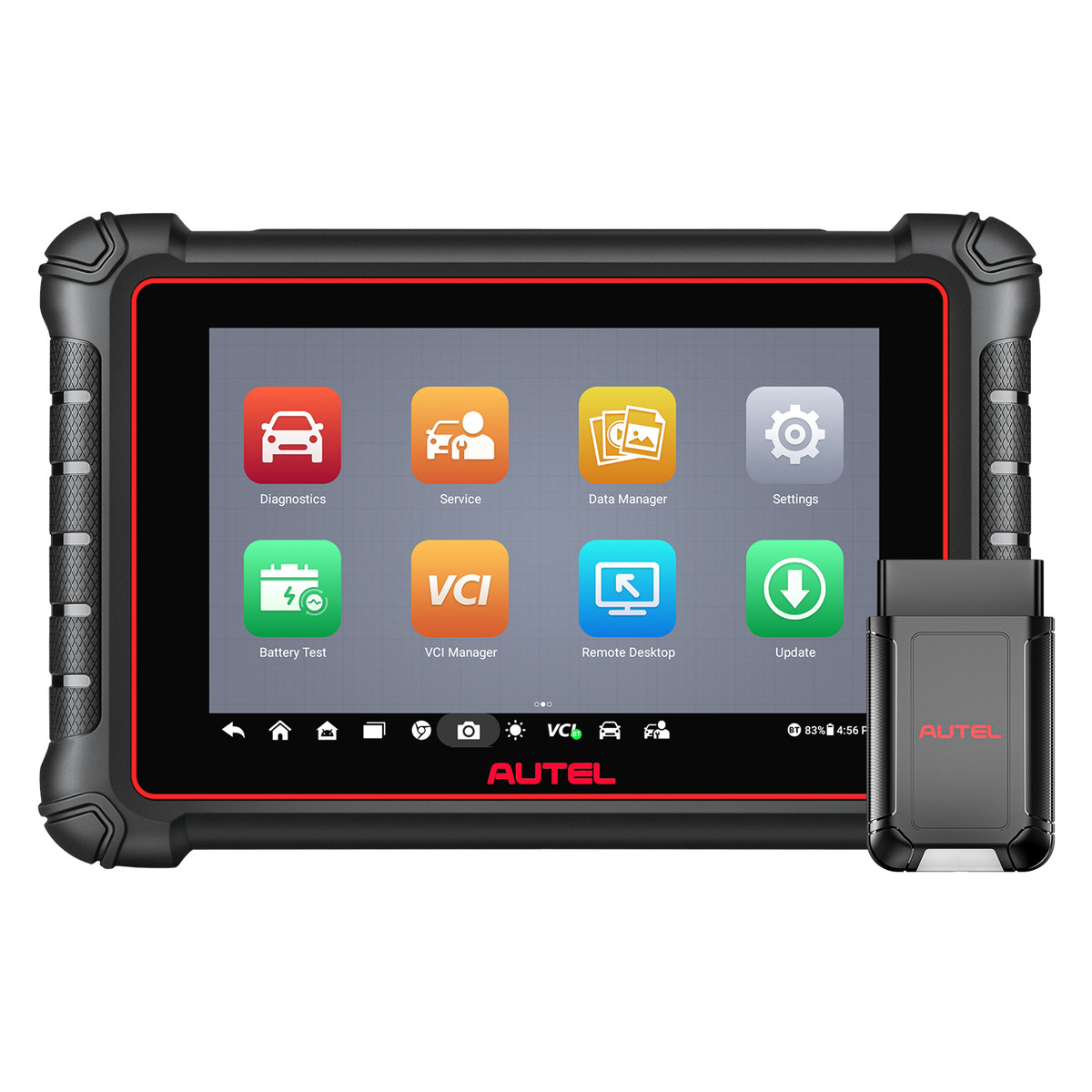
A basic code reader can tell you that the check engine light is on and show a diagnostic trouble code. A bi-directional scan tool can go one step further: it can send commands back to the vehicle. That two-way communication, often labeled active tests or actuator tests, is one of the main differences between a simple OBD2 reader and a more capable diagnostic tool.
If you are a U.S. DIYer who has outgrown code-only apps, or an independent shop deciding whether the next tool purchase should include active tests, it helps to know what bi-directional control actually does, what it does not do, and when it is worth having.
What “bi-directional” means in plain language
Most inexpensive scanners are one-way tools. They request information from a control module: stored codes, freeze frame, live sensor data, or readiness status. The module answers, and you read the result.
A bi-directional scan tool can also give instructions, on supported vehicles and systems. Instead of only watching a fuel pump data stream, you may be able to command the pump on and listen for it. Instead of guessing whether an ABS solenoid, EVAP vent valve, radiator fan, or A/C clutch is stuck, you can try to operate that component from the scan tool and see what happens.
This is why technicians also call these functions active tests. You are activating a component or routine on purpose, then comparing the command, the live data, and the real-world result. If the tool commands a fan on and the fan stays still, you have narrowed the problem in a way a code alone cannot.
How active tests help you diagnose faster
Trouble codes point to a circuit, a monitor, or a system, not necessarily to a single failed part. A misfire code does not tell you whether the coil, injector, wiring, or mechanical condition is at fault. A blend-door or window code does not tell you whether the motor is dead or the module never sent the command.
Bi-directional testing helps you split those possibilities. A typical process looks like this:
- Read codes and freeze frame so you know when the fault occurred.
- Watch the related live data with the component at rest and during operation.
- Run the active test, if the vehicle and tool support it.
- Confirm the result with your eyes, ears, a multimeter, or a smoke test, depending on the system.
If the component works when the scan tool commands it, the part may be fine and the problem may be in a switch, sensor, network message, or control strategy. If the component does not work when commanded, you can move toward power, ground, the component itself, or the module, instead of replacing parts at random.
That is especially useful on modern vehicles, where many parts are buried and a “maybe it’s the actuator” guess can cost hours of labor.
What bi-directional control is not
Active testing is not the same thing as coding, programming, or key learning. Coding changes software options or matches a replaced module. Programming writes software or immobilizer data. Service functions, such as oil reset, electronic parking brake service, or battery registration, are related maintenance routines, but they are not identical to commanding a component for diagnosis.
A tool can include one of those capabilities and not the others. Many mid-level tools combine active tests with a menu of service resets. Key programmers and advanced tablets may add coding or immobilizer functions. When you compare products, read each feature list separately instead of assuming that “professional scanner” means every function is included.
Coverage is also uneven. A bi-directional tool will not run every test on every U.S., Asian, or European vehicle. Support depends on the make, model, year, system, and software version. Always check official coverage for the vehicle on your lift or in your driveway.
Do you need a bi-directional scan tool?
You may not need one if your only goal is to read a check engine light, look up a code, and check I/M readiness before an emissions inspection. A straightforward code reader can do that job well.
You are more likely to benefit from bi-directional control if you:
- Diagnose problems instead of swapping parts based on a code description.
- Work on systems such as ABS, EVAP, HVAC, or fuel delivery, where commanding a component saves guesswork.
- Service your own vehicles often enough that a dedicated tool will be used more than once or twice a year.
- Run an independent shop or mobile repair business and need faster go/no-go tests during diagnosis.
For many serious DIYers, a compact Bluetooth tool is the first practical step into this category. The TOPDON TopScan family, including Lite and Pro, is built around phone-based diagnostics with two-way active testing on supported vehicles, plus service functions and full-system scans. That combination is often enough for driveway work without buying a full shop tablet on day one.
Shops that want a dedicated screen and a wired or wireless tablet may look at Autel diagnostic tablets instead. The Autel MaxiCOM MK808S can read and clear codes on available systems, graph live data, and perform bi-directional active tests, along with common service functions. The Autel MaxiCOM MK900 is a newer all-system tablet with an 8-inch display, active tests, service functions, and support for newer communication protocols, including DoIP and CAN FD. Those protocol details matter more if you work on late-model vehicles that a basic OBD2 reader cannot fully address.
Use active tests safely
Because a bi-directional tool can operate parts of the vehicle, treat it with the same care you would use around a running engine. Set the parking brake. Keep hands and tools away from fans, belts, and wheels. Do not command a function that could move the vehicle, change brake apply, or fire an unexpected actuator unless you understand the test and have the vehicle secured.
Follow the on-screen conditions. Some tests require the engine running; others require key on, engine off, or a specific temperature or gear position. If a test aborts, read the message before you retry it. Forcing a routine the vehicle is not ready to run can set new codes or leave a system in an unexpected state.
After testing, use the scanner to check for codes you may have set during the test, and verify that service lights or warning lamps are in the state you expect before you return the vehicle to the road.
How to choose among tools that offer active tests
Start with the vehicles you actually service. Then decide whether you want a phone-based adapter or a standalone tablet. Phone tools are easy to carry and generally cost less to get started, but they depend on your device and software plan. Tablets are easier to use all day in a shop and may include broader reporting, a larger graphing display, and additional protocols.
Next, compare the rest of the menu. If you need oil resets, brake service, diesel particulate filter functions, or battery registration, make sure those service routines are listed and supported on your vehicles. If you only need engine codes, do not pay for a capability you will never use, and do not skip active tests if diagnosis is the reason you are shopping.
Bi-directional control will not replace mechanical skill or a wiring diagram, but it can keep you from replacing good parts. If you are ready to move beyond code reading, browse the diagnostic tools collection and choose a scanner whose active tests and service functions match your work.


